FREE 15-DAY TRIAL

ZDeck

Your ZBrush buttons,
on any monitor

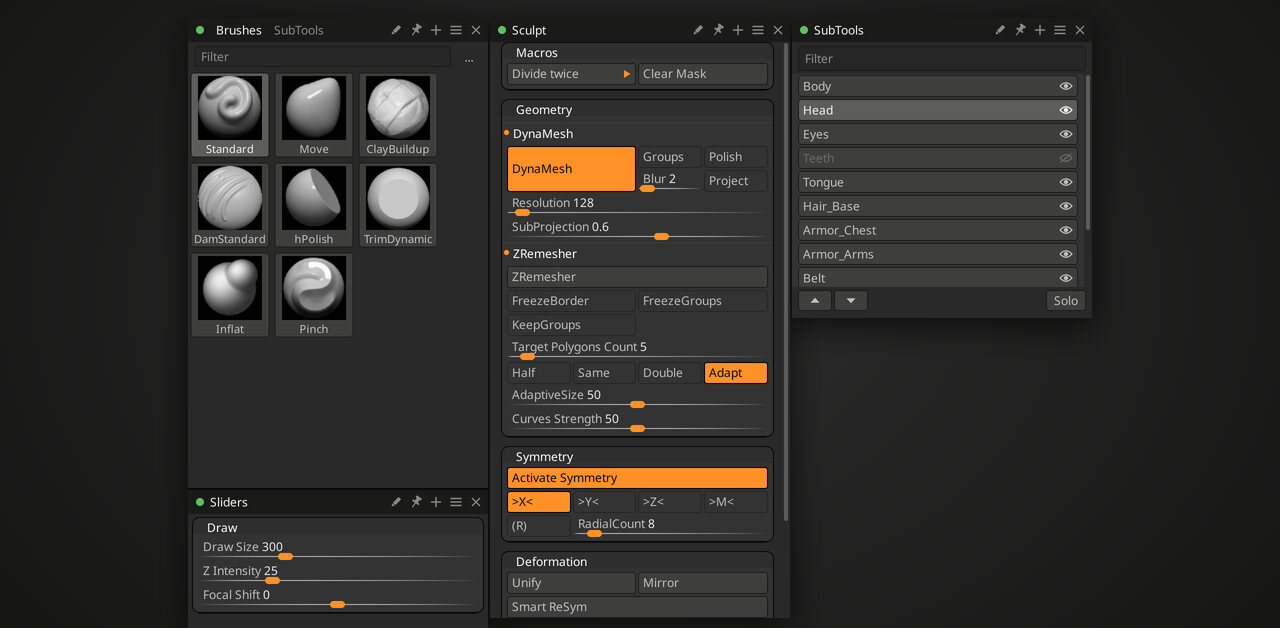
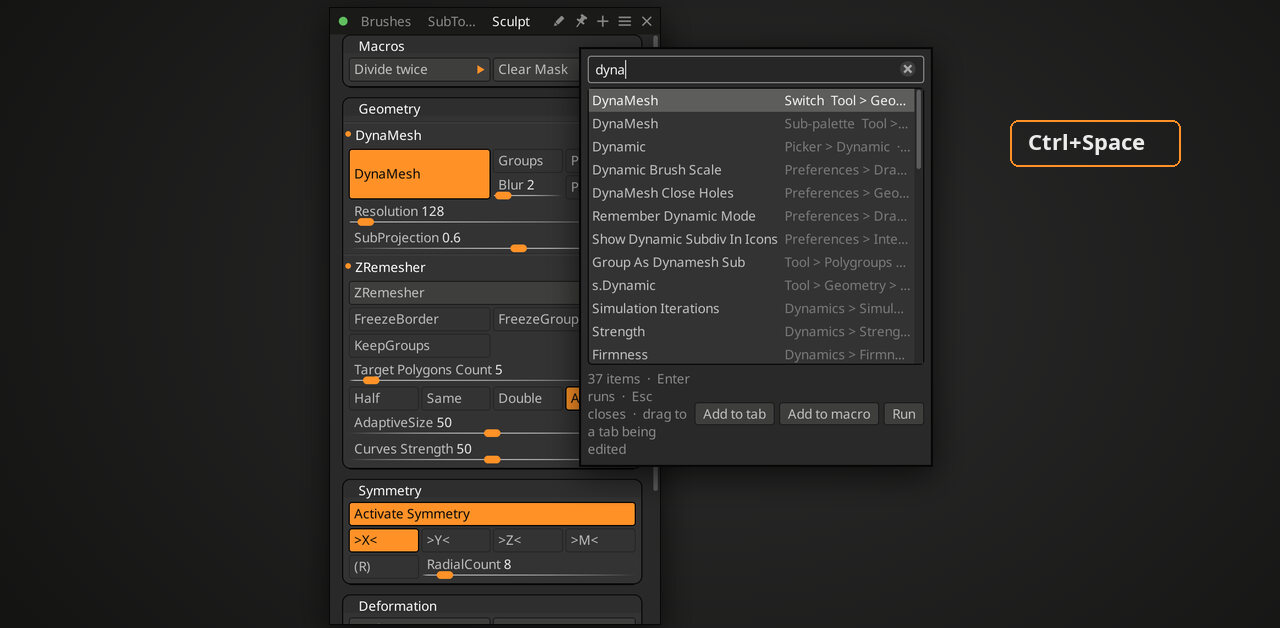
A ZBrush-styled command deck that frees your viewport. Put the buttons, switches, sliders and brushes you use most in small windows, wherever you like.

Full app, no limits · for ZBrush 2026 · Windows 10/11

Why I built it

Stop hunting through palettes.

ZDeck puts the ZBrush 2026 buttons, sliders and sub-palettes you use most into small ZBrush-styled windows. Put them on a second monitor, beside the canvas, wherever you like. ZBrush keeps its full viewport.

The pen goes straight back

Click a button in ZDeck and keep sculpting. No extra click to wake the canvas. Wacom pressure stays intact.

A clean viewport

Move the trays and palettes you keep open out of the way. Your model gets the whole canvas.

Use your second monitor

It finally does more than hold a reference image.

Features

Looks like ZBrush. Works where you want it.

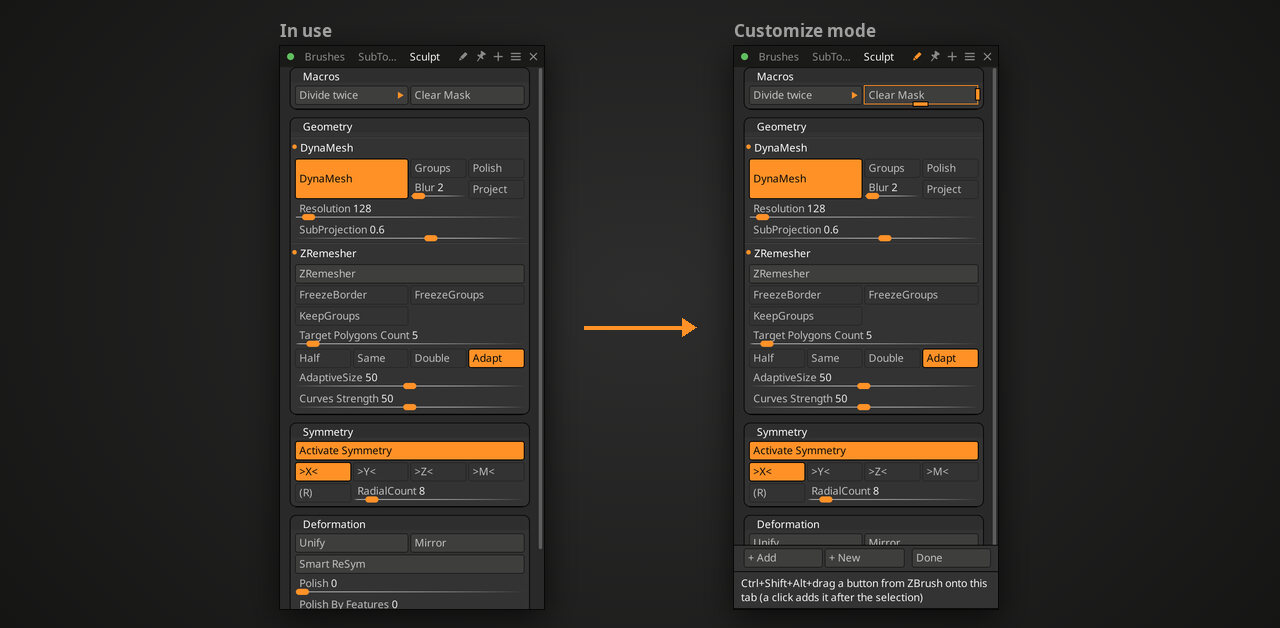
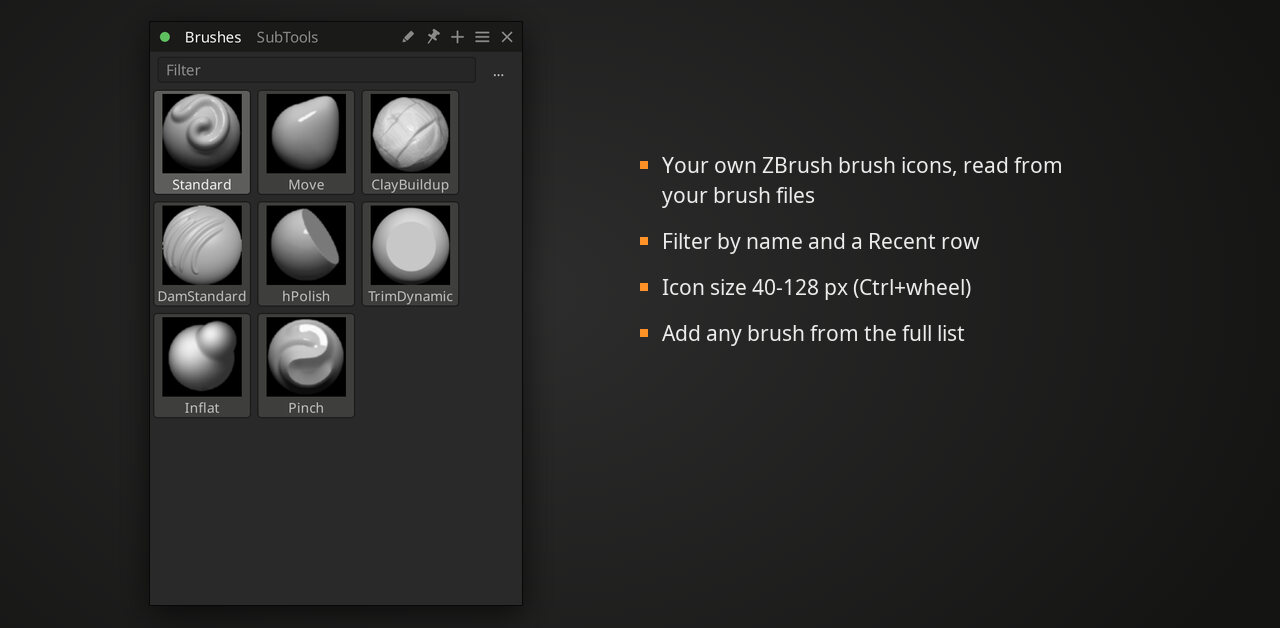
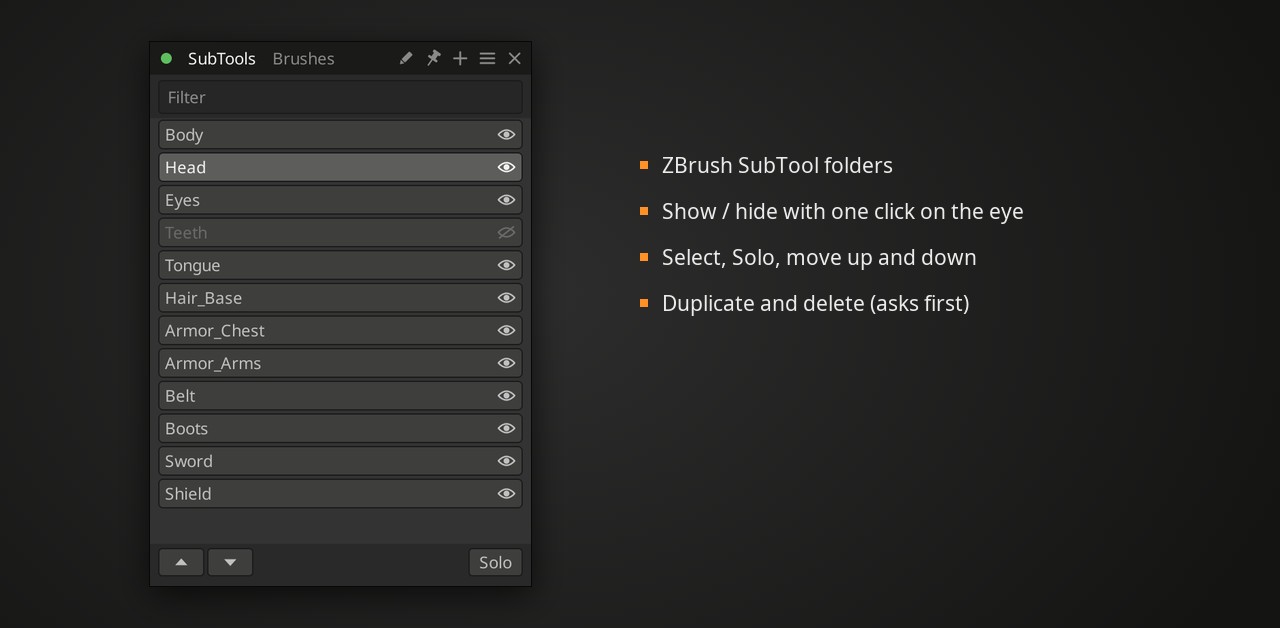
ZBrush's colours, font, switches, sliders and sub-palette blocks, in windows you can drag to any monitor.

How it works

Two parts, one private link.

Sculpting stays 100% in ZBrush. ZDeck only presses ZBrush's own buttons for you.

01 · THE APP

ZDeck

A normal Windows program with your windows and tabs.

02 · LOCAL LINK

Same PC only

They talk over a private local link (127.0.0.1), never over the internet.

03 · THE PLUGIN

Inside ZBrush

A small plugin using ZBrush 2026's official Python plugin system.

Start "ZBrush + ZDeck" from the Start menu. The connection dot turns green about 10-15 seconds after ZBrush starts. ZDeck goes online only once, to activate your key.

Requirements & install

What you need

Requirements

  • Windows 10 or 11, 64-bit
  • ZBrush 2026 (tested on 2026.2 and 2026.2.1)
  • Older ZBrush versions are not supported
  • No macOS version
  • Internet once, to activate your key

What you get

  • The Windows installer (ZDeck 0.10)
  • A portable zip, if you would rather not install
  • Your key, on your Gumroad receipt

Install

  • Per-user installer, no admin rights
  • Start-menu shortcuts: ZDeck and ZBrush + ZDeck
  • Updating over an older install keeps your settings
ZDeck is not code-signed yet, so Windows SmartScreen will say "Windows protected your PC". Click More info > Run anyway.

Honest limits

Known limits

  • Windows and ZBrush 2026 only.
  • Capturing from ZBrush was tested with ZBrush's English interface. Sometimes ZDeck asks you which item you meant.
  • SubTools cannot be renamed and there is no Strokes tab. ZBrush's Python does not allow it.

Pricing & licence

Try it free. Buy it once.

Start with the free 15-day trial. If ZDeck earns its place on your desk, buy it and enter your key: your tabs, layouts and settings stay.

Free trial

US$ 0 15 days

  • The full app, no limits
  • 15 days from the day Gumroad issues your trial key (not from the install)
  • One trial key, 1 PC
Get the free trial

ZDeck

US$ 19 one-time

  • No subscription
  • One online activation, then ZDeck works offline
  • Coming from the trial? Enter your new key, your settings carry over
Buy on Gumroad · US$ 19

How the key works

  • On first start, ZDeck asks for a key. Paste your trial key or your ZDeck key from the Gumroad receipt.
  • ZDeck goes online once to activate the key. The link to ZBrush is always local.
  • When the trial ends, enter a ZDeck key to keep going, or ZDeck will not open.
  • If something breaks, Help > Report a problem makes a zip on your desktop (nothing is sent). Send it to me and I will look at it.

FAQ

Questions

Does ZDeck work on a Mac?

No. ZDeck is for Windows 10 and 11, 64-bit. There is no macOS version.

Does it work with ZBrush 2025, 2024 or older?

No. ZDeck is made for ZBrush 2026 and was tested on 2026.2 and 2026.2.1. Older ZBrush versions are not supported.

How long is the free trial, and when does it start?

15 days, counted from the day Gumroad issues your trial key, not from the day you install. Reinstalling does not reset it. Get your key on the free trial page, then paste it when ZDeck asks.

Is the trial limited?

No. It is the full app, with no limits.

What happens after 15 days?

ZDeck asks for a full key. Enter your ZDeck key to keep going, or ZDeck will not open. Buy ZDeck for US$ 19.

Do I lose my tabs and settings when I buy?

No. Just enter your new key. Your tabs, layouts and settings carry over from the trial.

On how many PCs does a trial key work?

One trial key works on 1 PC.

Is it a one-time purchase?

Yes. US$ 19, you pay once, there is no subscription.

Do I need to be online?

Only once, to activate your key. After that, ZDeck works offline.

Does ZDeck talk to ZBrush over the internet?

No. ZDeck and its ZBrush plugin talk over a private local link on the same PC (127.0.0.1). Your sculpting stays in ZBrush, and Report a problem only saves a zip on your desktop (nothing is sent). ZDeck goes online only once, to activate your key.

Windows says "Windows protected your PC". Is that normal?

Yes. ZDeck is not code-signed yet, so SmartScreen shows this warning. Click More info, then Run anyway.

What about refunds or problems with my purchase?

Contact me through Gumroad.